A task board for the people who work your store.
Shopfloor is a Shopify app for back-of-house work: stock counts, deliveries, window changes, repairs. You plan it on a kanban board inside your Shopify admin. Staff who don’t have a Shopify account get an 8-character code and use it on their phone. One plan, $12 a month for unlimited staff, after a 14-day free trial.
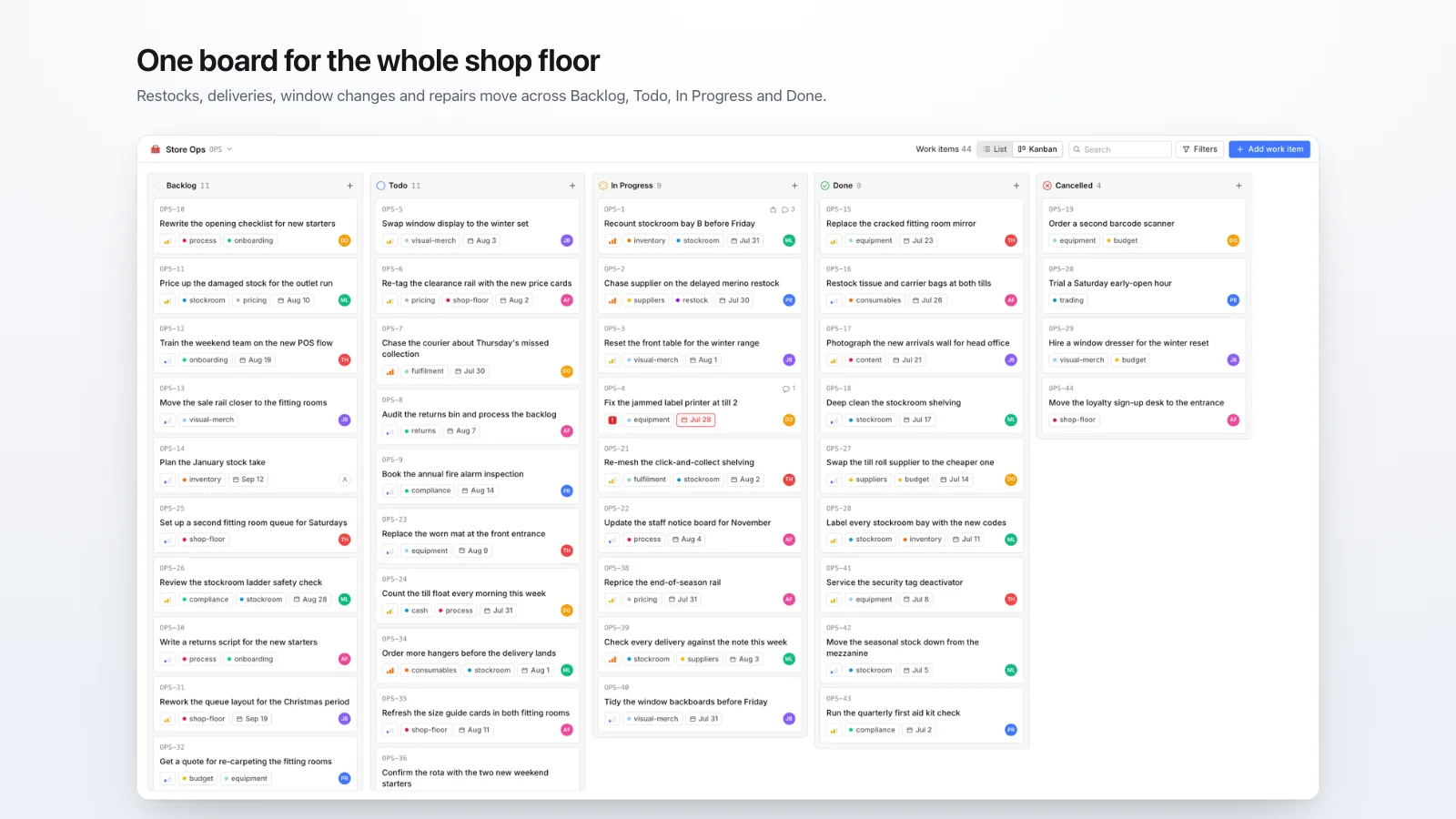
The board, inside your Shopify admin.
Every screenshot on this site uses demo data.
Your Shopify plan may include zero staff accounts.
staff accounts on Shopify’s Basic plan. Only the owner can log in to the admin.
| Shopify plan | Staff accounts included |
|---|---|
| Basic | 0 |
| Grow | 5 |
| Advanced | 15 |
| Plus | Unlimited |
Source: Shopify Help Center, user accounts and plan requirements, checked 19 November 2026. More detail in our guide to Shopify staff account limits.
POS-only staff and collaborators don’t count toward the limit, but POS-only staff can’t open the Shopify admin, and collaborators are meant for agencies and freelancers. So on most stores, an app that lives in the admin is an app only the owner can open. Shopfloor gets around that with its own access codes.
Staff sign in with a code, not a Shopify login.
No Shopify account, no seat on your Shopify plan, no email needed.
Add the person to your roster
Name, email and role. Packers, weekend staff and the new starter all belong here. Shopfloor never emails them. Anyone with a Shopify staff account is added on their own the first time they open Shopfloor.
Press Give access
You get an 8-character code and a link. Read the code out across the stockroom or send the link. It works on a shared warehouse phone with no mailbox set up.
A524-HEKB
They type it once
The code works once and expires after 14 days. The phone stays signed in while it’s used, and Remove access signs it out.
What sits on it.
A kanban board and a grouped list
Backlog, Todo, In Progress, Done and Cancelled. The same five states in both views.
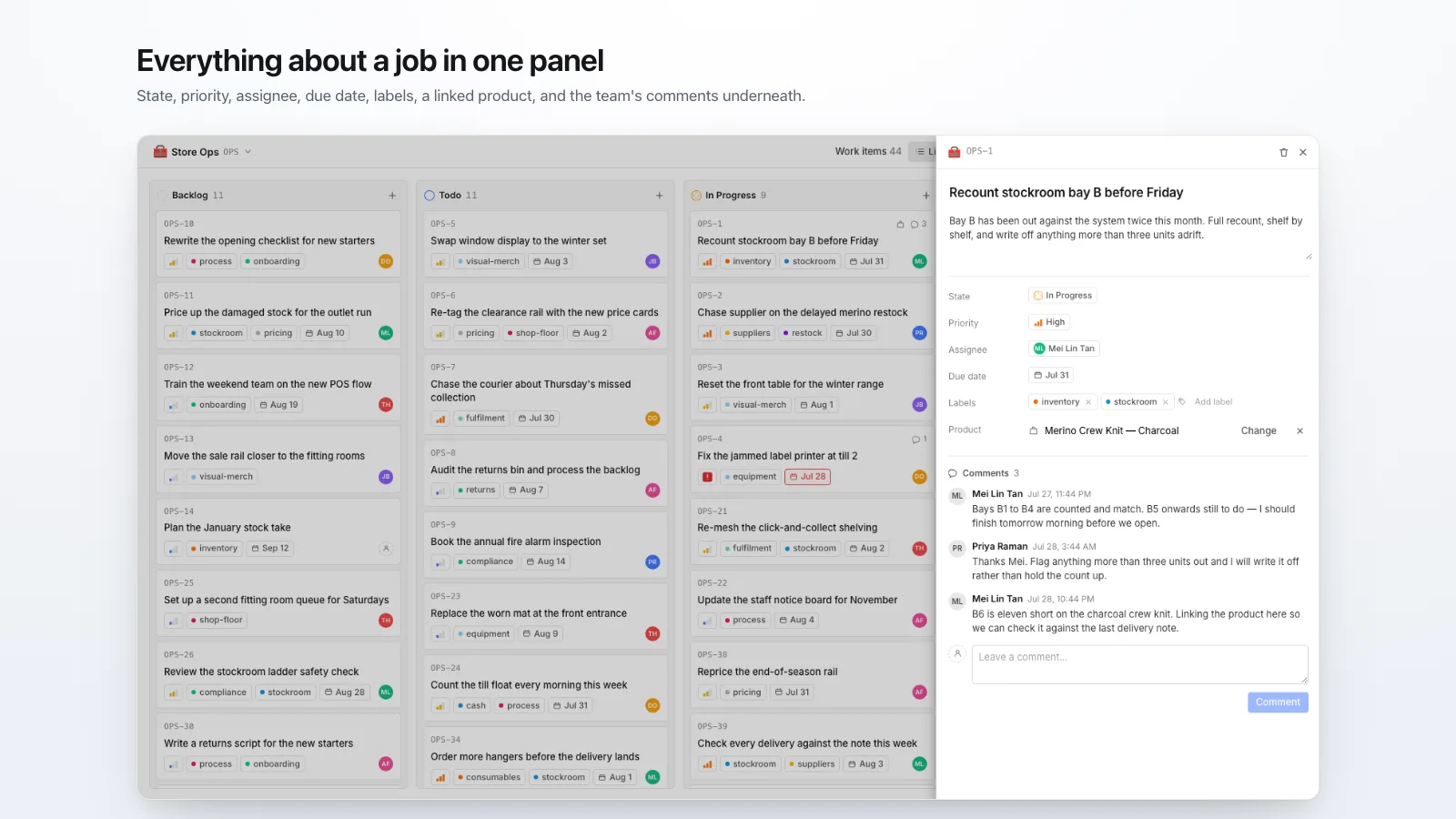
Owner, priority, labels, due date
On any work item. Overdue items show as overdue on the board and on the phone.
Comments on the job, not in chat
“Bay 4 is short 12” belongs with bay 4, where the next person to pick it up will read it.
A work item can point at a product
Link an item to a product in your catalogue, so “reprice these” says which ones.
Your work, in one place
Everything assigned to one person across every project. It’s what their phone shows them.
Staff move their own work
They advance what’s theirs, claim what nobody has taken, and comment. They can’t touch the roster, projects or billing.
One plan. No per-seat pricing.
Three staff or three hundred, the price is the same.
Shopify adds the charge to your normal Shopify invoice. Cancel from the app, or uninstall. Pricing details
What Shopfloor doesn’t do.
Worth knowing before you install. If one of these is a deal-breaker, our comparison of Shopify task apps lists apps that do it.
- No recurring tasks. A weekly count has to be created each week.
- No file attachments on work items.
- No email or push notifications. Staff see new work when they open the page.
- No native phone app. Staff use a web page in their phone’s browser.
- No link to orders or Shopify POS. Work items link to products only.
- English only.
Shopfloor has been on the Shopify App Store since 5 August 2026. It has no reviews yet, so there are no testimonials on this page. When merchants review it, their words will go here with their names on them.
Common questions
Do my staff need Shopify accounts to use Shopfloor?
No. Anyone on your Shopfloor roster can be given an access code, and the code needs nothing from Shopify: no staff account, no seat on your Shopify plan, no invitation to your admin. Staff who already have a Shopify account can also open Shopfloor inside the admin.
How much does Shopfloor cost?
$12 a month for one plan, Pro, with unlimited staff. New stores get a 14-day free trial. Shopify bills it on your normal Shopify invoice, and there is no free plan.
Does Shopfloor work on the Shopify Basic plan?
Yes. Basic includes no staff accounts, so only the owner can open Shopfloor in the admin, but every other person on the roster can use an access code on their phone.
What can staff change?
Their own work items, between Todo, In Progress and Done. They can claim an item nobody has taken and comment on items. They can't change the roster, projects or billing, and they can't move work to Backlog or Cancelled.
What happens when someone leaves?
Press Remove access on the Staff page. Every phone they signed in on is signed out on its next request. Their name stays on the work they did.
What data does Shopfloor store?
Your staff roster, projects, work items, comments and one record per signed-in phone. It stores no shopper or customer data. When you uninstall, staff sign-ins end at once, and 48 hours later Shopify asks us to erase the store's data, which we do.